Atlassian has revamped Service Level Agreement (SLA) management in Jira Service Management (JSM) with two key improvements designed to streamline administrators' work and give end customers greater transparency.
At Quabu, we sponsor the latest JiraBro tutorial, which explains how to make the most of the new rules engine. Below, we summarize both what you will see in the video and the new native portal visibility feature announced by Atlassian.
1. New Rules Engine and SLA Creation with Atlassian Rovo (in the Video)
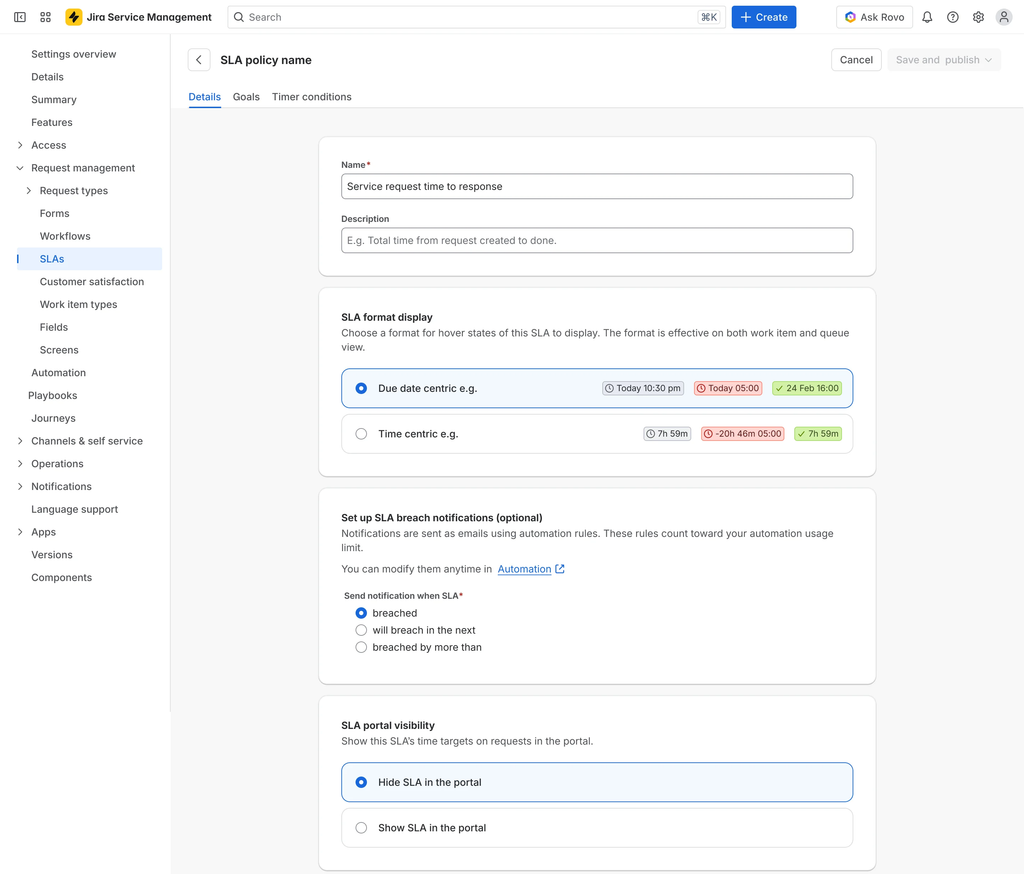
In the JiraBro video, you will see a live demonstration of how to configure your metrics using JSM's revamped interface, which lets you create SLAs from scratch or use Atlassian Rovo to generate rules with AI assistance. The main settings include:
- Field conditions and goals: Filter which tickets each metric applies to and define their priority and target time.
- Precise clock control: Configure the exact conditions for starting, pausing and stopping the timer to accurately reflect real service times.
2. New Native Feature: SLA Visibility in the Customer Portal
Atlassian has also launched View SLA in Portal (available on JSM Cloud Premium and Enterprise plans), a highly requested feature that displays estimated times directly in the customer's request view.
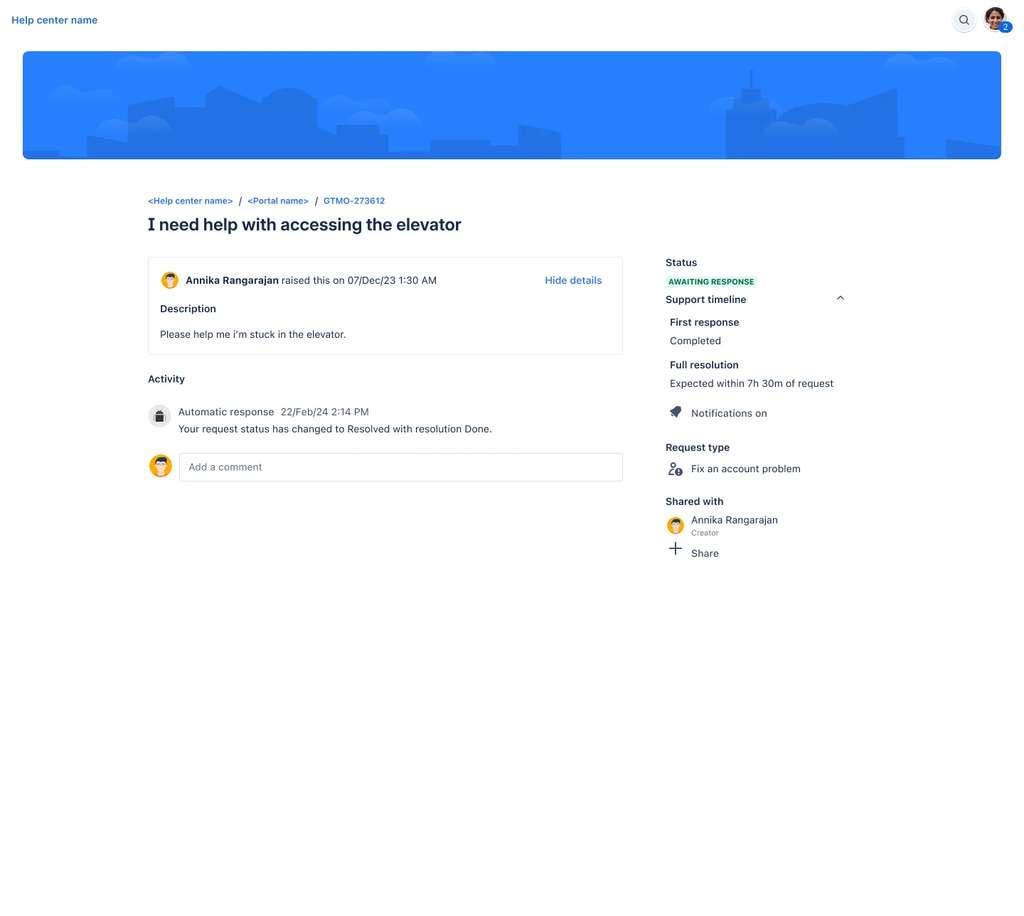
- Granular control for each metric: Space administrators decide which SLAs to enable or disable in the portal—for example, displaying Time to first response without changing calendars, pauses or internal reports.
- Clear messages without internal jargon: To avoid confusion or unnecessary pressure on agents, customers see three simple states: the estimated target time for that phase, “Completed” (once the ticket has moved beyond that stage, without revealing whether the internal target was breached), or “Working on it” (when no specific timeframe is available but the request is still active).
Watch the Step-by-Step Video
In the JiraBro tutorial, sponsored by Quabu, you can see how to configure your SLA rules from scratch and with Rovo in the new interface.
👉 Watch JiraBro's YouTube tutorial on the new SLA system in JSM
Would you like to implement these improvements in your Jira Service Management instance or improve transparency with your customers? At Quabu, we help you configure tailored workflows and metrics. Let's talk!
Reference: View SLA in Portal: Give Customers Clearer Service Expectations — Atlassian Community
#JiraServiceManagement #SLA #AtlassianJira #ServiceManagement #Rovo #Quabu